

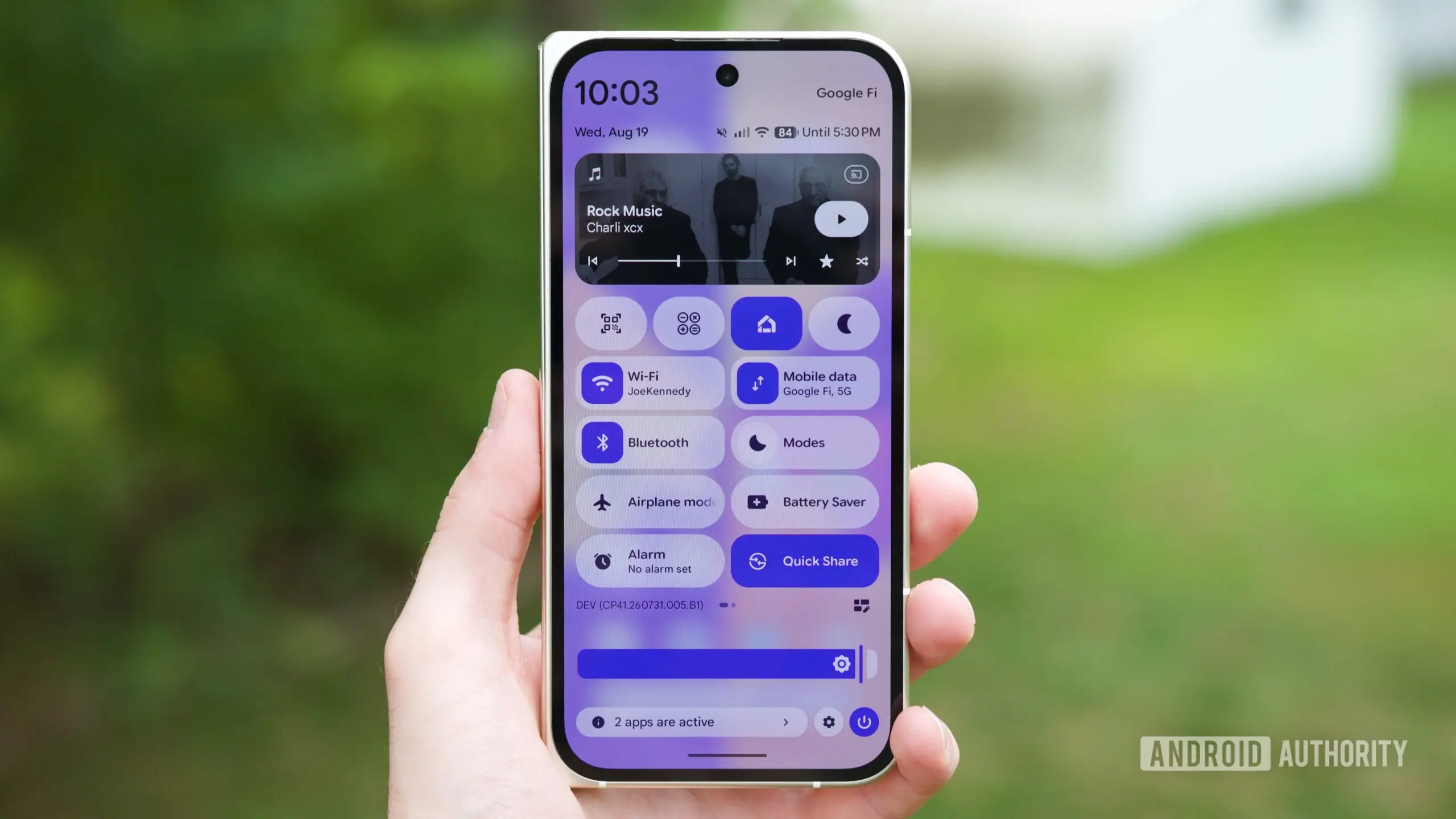
Google continues to refine Android 17 QPR2 Beta, and the latest release brings a significant usability improvement to a feature that was previously buried deep in the system. Android 17 QPR2 Beta 4, released last week, makes it much easier to access and activate the Voice Broadcast functionality on Pixel smartphones. This feature essentially turns your Pixel into a personal PA system, allowing you to broadcast your voice or audio from a media player over a private network using Bluetooth LE Audio technology.
What is Voice Broadcast?
Voice Broadcast is a functionality that leverages Auracast, a Bluetooth LE Audio feature designed to enable audio sharing from a single source to multiple nearby listeners. Think of it as a private radio station that you control directly from your phone. Whether you are giving a tour, making an announcement in a small gathering, or simply sharing audio with friends who do not have their own source, Voice Broadcast allows you to transmit sound to compatible earbuds or hearing aids within a certain range.
The underlying technology is Bluetooth LE Audio, which is the next generation of Bluetooth audio. Unlike classic Bluetooth, LE Audio is designed to be more power-efficient and supports multi-stream audio, meaning it can send audio to multiple devices simultaneously without the same battery drain. Auracast takes this a step further by enabling broadcast audio, where one source can transmit to an unlimited number of nearby listeners. This is similar to how a Wi-Fi hotspot works, but for audio.
From Hidden to Handy
The concept of Voice Broadcast has actually been in development for some time. Google first introduced the ability for Pixel users to transmit their voice over an Auracast network in Android 17 QPR2 Beta 2. However, in that initial rollout, the feature was called “Voicecast” and was not easy to find. Users had to dig into Developer Settings to enable it, which is a significant barrier for most everyday users. Developer Settings are typically intended for developers and advanced users, and having to navigate through those menus to activate a core feature was not ideal.
With the release of Android 17 QPR2 Beta 4, Google has removed that barrier. The latest beta allows users to add a dedicated Quick Settings tile for Voice Broadcast, meaning you can activate the feature with just a tap from the notification shade. This is a major improvement in terms of accessibility and user experience. Instead of navigating through hidden settings, users can now invoke Voice Broadcast just like switching on Wi-Fi or Bluetooth.
How It Works
When you activate Voice Broadcast on your Pixel phone, it creates a listening channel on a private network. This channel is enabled by Bluetooth LE Audio. To listen to the broadcast, other people need earbuds, headphones, or other audio devices that support Auracast. If their devices are compatible, they can search for and join your broadcast channel, similar to how they would connect to a public Wi-Fi network.
One of the key features of this implementation is the ability to secure your broadcast. Users can set a password for their listening session, which allows them to broadcast to a select group of people without fear of eavesdropping. This is particularly useful in professional settings, such as guided tours or private events, where you might not want the public to listen in. Alternatively, you can still choose to broadcast publicly, making your channel open to anyone nearby with compatible devices.
It is worth noting that Bluetooth must be turned on for Voice Broadcast to function. The feature relies on Bluetooth LE Audio to establish the private network and send the audio stream. If Bluetooth is off, the feature will not work, and the Quick Settings tile will either be inactive or prompt you to turn on Bluetooth.
Comparison with Samsung's Audio Broadcast
Samsung has offered a similar functionality on its Galaxy devices, branded as “Audio broadcast.” This is Samsung’s interpretation of Auracast, which allows other users to listen to media streamed from a single source. For example, a Samsung phone can stream music to multiple Galaxy Buds simultaneously, or share audio with a group of friends who all have compatible Samsung devices. Samsung’s implementation has been around for a while and is often praised for its ease of use.
Pixel devices have also supported Auracast-based media sharing for some time, but the functionality was previously limited to sharing media from apps like YouTube or Spotify. You could share what you were listening to, but you could not broadcast your own voice through the microphone. The addition of Voice Broadcast fills this gap, making Pixel devices more comparable to Samsung’s Audio broadcast feature.
However, there is a key difference in accessibility. Samsung’s Audio broadcast is typically found within the Quick Settings panel or the Bluetooth settings, making it easy to discover. On Pixel, until now, the voice transmission feature was hidden in Developer Settings. With Beta 4, Google is finally granting it the visibility it deserves.
What Sets This Feature Apart
Voice Broadcast is more than just a way to share audio. It has the potential to be a practical tool for a variety of scenarios. For instance, tour guides can use it to speak to a group of visitors without having to raise their voices. Event organizers can provide real-time announcements to attendees who have compatible listening devices. In a classroom, a teacher could broadcast a lesson to students’ earbuds. The possibilities are broad, and by making the feature easier to access, Google is encouraging users to explore these use cases.
The privacy aspects are also worth highlighting. Since users can set a password, they have control over who can join their broadcast. This is a crucial feature in public spaces where eavesdropping could be a concern. It also differentiates Voice Broadcast from a simple public address system, offering a degree of exclusivity that can be tailored to the needs of the broadcaster.
Technical Details and Compatibility
Voice Broadcast relies on a specific set of hardware and software capabilities. On the transmitting side, a Pixel phone running Android 17 QPR2 Beta 4 with Bluetooth LE Audio support is required. On the receiving side, listeners need audio devices that support Auracast. This includes many modern earbuds and headphones, particularly those that have adopted Bluetooth LE Audio in recent years. As the technology becomes more widespread, it is likely that more devices will support Auracast, further increasing the utility of Voice Broadcast.
It is also important to understand the difference between classic Bluetooth audio and LE Audio. Classic Bluetooth typically supports a one-to-one connection, or in some cases one-to-few via multipoint. Bluetooth LE Audio, on the other hand, supports broadcast mode, which allows a single source to send audio to an unlimited number of devices. Auracast is the standardized name for this broadcast mode, ensuring interoperability between devices from different manufacturers.
The Road to a Stable Release
Android 17 QPR2 is part of Google’s quarterly platform releases (QPR) for Pixel devices. These releases are incremental updates that bring new features and bug fixes between major Android version updates. The QPR2 Beta program is the final testing phase before a stable release. With Beta 4, Google is likely close to finalizing the software, as this beta focuses on fixing bugs and polishing the user experience.
Google has not provided an exact date for the stable release of Android 17 QPR2, but it is expected to arrive in September as a feature drop for Pixel devices. The feature drop is a significant update that usually introduces new features across Pixel devices, and it is likely that Voice Broadcast will be part of the final release. However, as with any software update, there is no guarantee that the feature will make it to the stable build, though the fact that it is now more accessible in Beta 4 suggests that Google is confident in its stability.
It is also worth noting that the Voice Broadcast feature might eventually expand to a broader set of Pixel devices. Currently, the beta is available for recent Pixel models, but the September feature drop could bring it to more devices, depending on hardware compatibility. Bluetooth LE Audio requirements mean that devices must have compatible hardware, but many recent Pixel phones already support this.
How to Try It Yourself
If you have a Pixel device enrolled in the Android 17 QPR2 Beta program, you can try the new Voice Broadcast feature after updating to Beta 4. Once updated, navigate to the Quick Settings panel and edit your tiles to add the Voice Broadcast button. After it is added, simply tap it to start broadcasting. You can then set up a listening session, choose whether to make it public or protected with a password, and start speaking or playing audio.
For those who want to act as listeners, ensure that your earbuds or headphones support Auracast. In the Future, this feature could become a standard part of public spaces, with audio streams available in airports, museums, and other venues. Google’s move to make Voice Broadcast more accessible is a step in that direction.
As the Android 17 QPR2 rollout continues, users should keep an eye out for the September update. It promises to be a substantial feature drop, and Voice Broadcast is just one of the many improvements being tested. With the new Quick Settings tile, Google is showing that it is committed to making advanced audio features accessible to everyone, not just those who are willing to dig through developer options.
Source: Android Authority News