

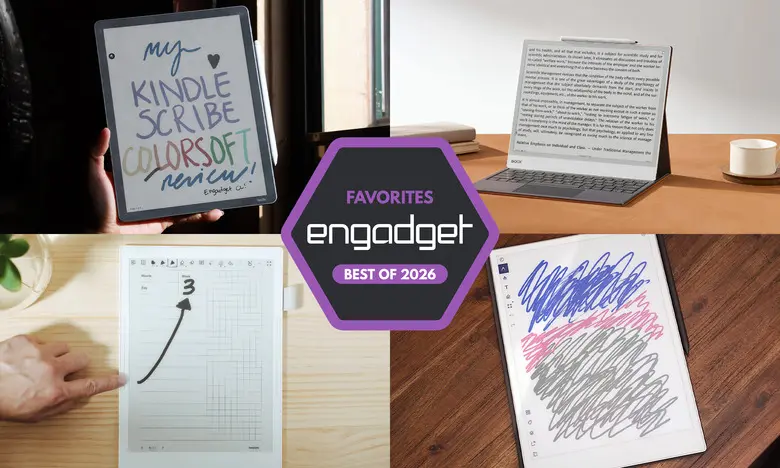
E Ink tablets have carved out a unique niche in the world of digital devices. They promise the tactile satisfaction of writing on paper, the convenience of storing everything in one place, and displays that are much easier on the eyes than traditional LCD or OLED screens. Over the past few years, these devices have matured significantly, with options now available in multiple sizes, some featuring color screens, and others doubling as full e-readers with access to major ebook stores and library services. I have spent time with close to a dozen E Ink tablets to see how well they perform, how convenient they really are, and which ones are worth your money in 2026.
Best E Ink tablets for 2026
reMarkable 2
The reMarkable 2 is the best E Ink tablet for most people because it offers the strongest combination of writing quality, reading comfort, and ease of use. It has a 10.3-inch monochrome digital paper display, weighs less than a pound, and feels incredibly sleek compared with other e-paper devices. The tablet is priced at $399 with the standard Marker, or $449 with the Marker Plus, which includes an eraser on the back.
Writing on the reMarkable 2 is a joy. The stylus is tilt- and pressure-sensitive, requires no charging, and there is almost no lag between the moment the pen touches the screen and when the line appears. It feels closer to real pen and paper than any other E Ink tablet I have tested. The reading experience is equally strong, with support for PDF and EPUB files, and you can load documents by logging into your reMarkable account on desktop or mobile, or by connecting Google Drive, Microsoft OneDrive, or Dropbox.
A Chrome extension called Read with reMarkable lets you send online articles directly to the tablet, and you can customize these files to be text-only for easy formatting or as PDFs for markup. The device also handles note organization well, allowing you to create notebooks, folders, and quick sheets. There are eight brush types, adjustable line thicknesses, and handwriting-to-text conversion that works with surprising accuracy.
The main drawbacks are the extra cost of the stylus, the expense of the tablet itself, and the fact that unlimited cloud storage requires a Connect subscription, which costs $3 per month or $30 per year. New owners get a one-year free trial of Connect. Even without the subscription, the reMarkable 2 is a stellar digital notebook with a relatively low learning curve, making it the best all-around choice for most people.
- Pros: Great reading and writing experience; Google Drive, OneDrive, and Dropbox support; easy to use.
- Cons: Marker costs extra; expensive; unlimited cloud storage requires a subscription.
reMarkable Paper Pro
The reMarkable Paper Pro is the best premium E Ink tablet, offering a larger 11.8-inch display, a refined design, and the addition of color. It costs $629 with the standard Marker and delivers a noticeably more polished experience than the reMarkable 2. The tablet is just 5.1mm thick, making it close to the size of a legal pad, and its grooved edges give it a high-end feel.
Inside, the Paper Pro has a faster processor, more RAM, and 64GB of storage. These upgrades are immediately visible: page refreshes are quicker, transitions are smoother, and pen latency is only 12ms. The color screen uses reMarkable's Canvas Color technology, which can produce 20,000 colors and supports layering. You can actually watch pixels shift from black to your chosen color as you write, and the screen does not lag or freeze even with heavy use.
Software is identical to the reMarkable 2, which is a good thing. The interface remains simple, clean, and distraction-free, making it easy to organize documents, notes, and reading material. The optional Connect subscription still exists for unlimited cloud storage and mobile app editing, but the Paper Pro's generous 64GB of internal storage may be enough for many users. New owners get a 100-day free trial of Connect.
If you have the budget and want a luxury E Ink tablet experience, the Paper Pro is the way to go. It is expensive, but it earns its pro moniker with meaningful performance improvements and a color display that adds genuine utility.
- Pros: Color is a welcome addition; backlight works in dark environments; vastly improved performance.
- Cons: Expensive.
Amazon Kindle Scribe
The Amazon Kindle Scribe is the best E Ink tablet for people who want a device that excels at reading and writing. The latest model features an 11-inch display with uniform, slim bezels, an improved front light system, and a faster processor. It has a battery life measured in months, comes with a premium pen included in the price, and offers up to 64GB of storage.
The writing experience is fast and responsive, with even less latency than previous versions. The included pen is comfortable to hold, and its magnetic attachment is stronger. You can write sticky notes inside Kindle books, create separate notebooks, and annotate documents. One limitation is that you cannot uniformly mark up every Kindle book, and circling a word in a book pushes text aside to make room for the annotation. Underlining and highlighting are smoother, as the Scribe snaps your scribbles to the intended text.
The Kindle ecosystem is the main reason to choose the Scribe. If you buy most of your reading material from the Kindle store, this tablet integrates seamlessly with your library. The new Home page provides quick access to Quick Notes, your most recent book, and your last notebook, though Amazon's recommendations still appear further down. The AI Search feature can search, summarize, and provide insights about your notebooks, but its accuracy is inconsistent.
The updated Scribe family includes a $430 model without a front light, which is not recommended, a $500 model with the improved front light, and a $630 Scribe Colorsoft with a color display. For most people, the $500 model is the sweet spot.
- Pros: Fast, smooth performance; low-latency writing; seamless Kindle integration; premium pen included.
- Cons: AI Search needs work; marking up Kindle books is inconsistent.
Supernote A6 X2
The Supernote A6 X2 is the best E Ink tablet for writing and note-taking enthusiasts. It has a 7.8-inch screen and costs $329, plus the price of a stylus, which starts at $89. There is also a larger Manta X2 model with a 10.7-inch display for $505. Both models run the same software and deliver an exceptionally tactile writing experience.
Supernote made several upgrades for the X2 generation. The FeelWrite 2 screen protector is smoother and less scratchy than other E Ink surfaces. The tablet has a lightweight plastic body, dual sidebars for right- and left-handed users, and auto-rotation. It is also user-repairable, with a replaceable battery and a microSD card slot for expanding storage by up to 2TB.
The device shines when you customize it. You can download planner templates from the internet, resize them, and save them to a dedicated MyStyle folder to create your own digital bullet journal. The built-in note templates are also excellent, and the Atelier painting app offers brushes, markers, spray tools, and 16 levels of grayscale for artistic creations.
Supernote's software includes powerful features such as keyword bookmarks, star ratings, and handwriting recognition. You can lasso a word, convert it to typed text, and use it as a keyword for quick navigation. The device does not have a backlight, but the writing experience is so good that many users will not mind.
The main downside is that the stylus costs extra, and the interface has a steeper learning curve than devices from Amazon or Kobo. But for notebook nerds, the Supernote A6 X2 is a dream.
- Pros: Excellent writing experience; tons of customization options; good handwriting recognition.
- Cons: Pen costs extra; no backlight.
Onyx Boox Note Air4 C
The Onyx Boox Note Air4 C is another great color E Ink option, with a 10.3-inch display and a $529 price tag that includes a stylus. It runs Android 13, giving you access to the Google Play Store, and offers 64GB of storage. The tablet supports a wide range of file formats, including PDF, EPUB, DOC, MOBI, and many others.
Writing on the Note Air4 C is smooth, with low latency and a variety of brush options in the Notebook app. Since the display is color, you can save multiple brushes in different colors and quickly switch between them. You can also add shapes to notes and fill them with color, which is useful for visual learners. The AI recognition feature translates handwritten pages into typed text with impressive accuracy.
Because this is an Android tablet, you can install apps from the Google Play Store, such as Kindle, Kobo, and a web browser. You can even watch videos, though the E Ink screen is not ideal for that purpose. The real advantage is that you can pull reading material from many different sources and access everything in one place. The tablet also supports manual file transfers over USB-C.
The Note Air4 C is not as user-friendly as some other options, and the E Ink screen limits its ability to serve as a general-purpose tablet. But for anyone who wants a versatile, color E Ink device with Android apps, it is a compelling choice.
- Pros: Color E Ink display; Android 13 with Google Play; many file formats; stylus included.
- Cons: Not great for video; less user-friendly; expensive.
Onyx Boox Note Max
The Onyx Boox Note Max is the big-screen option, featuring a glorious 13.3-inch Carta 1300 E Ink display with 300 dpi. It costs $689 and includes a stylus and cover in the box. With 128GB of storage and Android 13, it is one of the most capable E Ink tablets available.
The large display makes writing and doodling remarkably enjoyable, especially for people who prefer legal-pad or A4-sized notebooks. The Note Max feels like other Boox tablets, so expect some tinkering if you are new to Android-based e-paper devices. One standout app is Calendar Memo, which shows a month-view calendar where you can tap on any day to write notes, journal, or log to-do lists. It also logs the books and documents you read each day, providing a handy historical record.
The Note Max does not have a front light, which is a significant omission for a device this expensive. The included stylus and cover add value, but the overall price is likely prohibitive for most users. Nevertheless, for those who want the largest and sharpest E Ink writing surface available, the Note Max is an impressive tool.
- Pros: Sharp Carta 1300 display; huge 13.3-inch screen; Android 13; stylus and cover included.
- Cons: No front light; less user-friendly; expensive.
reMarkable Paper Pro Move
The reMarkable Paper Pro Move is a honorable mention because it packs the premium reMarkable experience into a compact, 7.3-inch form. At $449, it includes the standard Marker and offers a color Canvas Color display. It is slightly smaller than the Supernote Nomad, making it easy to slip into a pocket or small bag.
Hardware quality is excellent, with solid ridged edges and a responsive screen. The Marker attaches magnetically to the side for charging and storage, and an optional folio case provides even more protection. Software is identical to the larger Paper Pro, including drag-and-drop toolbar, note search, and handwriting-to-text conversion.
The device supports PDF and EPUB files, but it is best suited for handwriting, note-taking, and document markup rather than acting as a general e-reader. The Paper Pro Move is perfect for people who work on the go or in the field, and its smaller size makes it more portable than other reMarkable tablets.
- Pros: Compact; excellent build quality; good battery life.
- Cons: Expensive for its size; no keyboard folio.
Kobo Libra Colour
The Kobo Libra Colour deserves an honorable mention for adding both a color display and stylus support to Kobo's already strong e-reader lineup. It has a 7-inch screen, a battery life of up to 40 days, and costs $229 without a stylus. If you add the Kobo stylus for $70, you can highlight text, write in the margins of any ebook, and create notebooks.
The Libra Colour has a premium build, a crisp warm-light display, and plenty of text customization options. The addition of color makes book covers and highlights more visually interesting. A faster processor ensures that waking from sleep, turning pages, and changing orientation are quick.
The stylus offers three pen styles, a brush, and a highlighter, with ten colors for writing and drawing. The tap-to-convert feature does a good job of turning handwriting into typed text, and uploading notebooks to Dropbox or Google Drive takes just seconds. USB-C transfers are also available.
The stylus costs extra, and the screen is smaller than the Kindle Scribe, but at roughly $300 with the stylus, the Libra Colour is a compelling alternative for anyone who wants a color E Ink tablet with a more natural margin-writing experience.
- Pros: Color display; low-latency stylus; write in the margins of any ebook.
- Cons: Smaller screen; stylus costs extra.
Are E Ink tablets worth it?
E Ink tablets are worth it for a specific group of people. If you prefer the look and feel of an e-paper display to the LCD panels found on traditional tablets, these devices make a lot of sense. They are also great for those who want a more paper-like writing experience or a device that helps minimize distractions.
Many E Ink tablets do not run on the same operating systems as regular tablets, which automatically limits what you can do. Even those that allow you to install traditional apps like Chrome, Instagram, or Facebook are not designed for casual browsing. E Ink displays have noticeable refreshes, less vibrant colors, and lower image quality than even the cheapest iPad. If you want a device that can handle email, social media, and web browsing alongside reading and writing, a standard tablet with a stylus might be a better fit.
The biggest reason to choose an E Ink tablet over an iPad is the lack of distractions. With no app store full of temptations and a more focused interface, these devices help you concentrate on reading and writing.
What to look for in an E Ink tablet
Writing and latency
The writing experience is the most important factor. The display's refresh rate and the stylus's latency determine how natural it feels. Most of the tablets I have tested have little to no latency, but some are better than others. Check whether the stylus is included or sold separately.
Reading
Consider how much you will read on the device. Larger screens make writing easier, but they can be less comfortable to hold for long periods. The supported file types also matter, especially if you buy ebooks from Amazon or Kobo. Those titles are often protected by DRM, so they are best used on the device from the same company. If you want to access multiple ebook stores, choose a tablet that runs Android and supports apps like Kindle and Kobo.
Search functionality
Search features vary widely between models. Some tablets make it easy to refer back to notes taken in books, while others offer powerful handwriting recognition and keyword search. If you plan to search through your handwritten notes, look for a device with strong search and text-conversion tools.
Sharing and connectivity
Most E Ink tablets have Wi-Fi, and some support cloud syncing, companion apps, and exporting notes via email. None integrate directly with Evernote or OneNote, so if you rely heavily on those services, a standard tablet with a stylus and a matte screen protector may be a better choice.
Price
E Ink tablets typically cost between $300 and $800. Price is often tied to screen size, with larger displays costing more. Stylus support is not always included, and some devices require a subscription for unlimited cloud storage. Prices have also gone up recently due to increased manufacturing and supply chain costs, so be prepared to pay a premium for the best models.
Other E Ink tablets we've tested
Onyx Boox Tab X C
The Boox Tab X C is a color version of the Tab X, with a 13.3-inch Kaleido 3 display, an octa-core processor, 6GB of RAM, and Android 13. It is powerful and ultra-thin, but at $820 for the standard bundle or $970 with the keyboard case, it is best for those who want an all-in premium E Ink experience.
Lenovo Smart Paper
The Lenovo Smart Paper has solid hardware and good Google Drive integration, but it relies too heavily on Lenovo's companion cloud service, which costs extra in some regions. The software is not as flexible as competitors, so it did not make the top list.
Onyx Boox Tab Ultra
The Boox Tab Ultra is essentially an all-purpose Android tablet with an E Ink screen. It can browse the web, check email, and even watch videos, but a standard 2-in-1 laptop with a better screen is a more practical choice for most people. Like the rest of Onyx's devices, the Tab Ultra is specifically for those who put reading and eye comfort above all else.
Source: Engadget News