

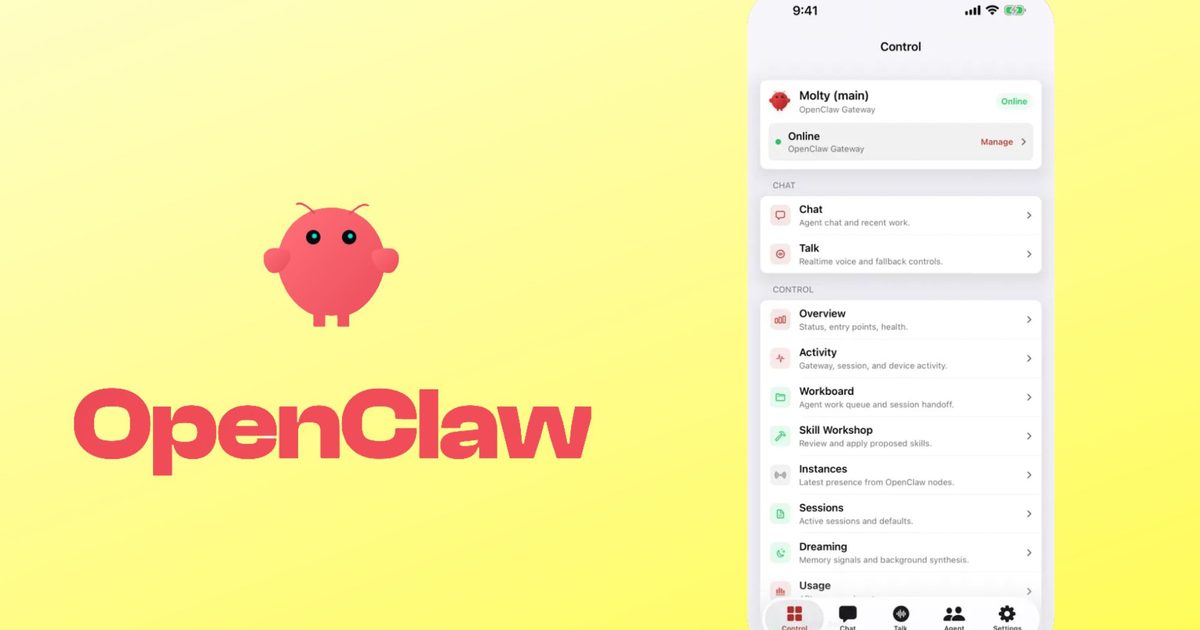
OpenClaw, the open-source AI agent that runs entirely on your own computer, has just landed native apps for Android and iOS. The app does not run the AI itself. Instead, it connects to a private gateway you set up yourself on a Mac, PC, or Linux machine, turning your phone into a secure remote for everything that gateway can do.
What OpenClaw is and why it matters
OpenClaw is an open-source AI agent designed to give users full control over their artificial intelligence operations. Unlike mainstream AI assistants such as ChatGPT, Gemini, or Claude, which operate on remote servers and often keep their underlying mechanisms opaque, OpenClaw is fully transparent. Its source code is publicly available, meaning anyone can inspect how it functions, modify it to suit their needs, or audit its security and privacy practices. This openness is a major draw for developers, privacy advocates, and power users who want to avoid vendor lock-in or data sharing with third-party services.
The agent is designed to run locally on a personal computer, giving the user unfettered ownership of all data, logs, and decision-making processes. By connecting through a self-hosted gateway, the mobile app extends this control to a pocket-sized device without sacrificing security or privacy. This architecture stands in stark contrast to closed alternatives that typically require sending queries to cloud servers for processing, often with limited visibility into how the AI handles sensitive information.
How OpenClaw works on your phone
Pairing your phone to the gateway is straightforward. You can use a QR code or a setup code, and the entire process takes just a few minutes. Once connected, you can interact with OpenClaw through a chat interface or switch to Talk mode for real-time voice conversations. Every action the agent wants to take on your gateway requires your approval first, ensuring that you remain in control at all times.
The app supports sharing text, links, and media directly from your phone into OpenClaw. Additionally, you can selectively enable device features such as your camera, screen, location, photos, contacts, calendar, and reminders. This allows the agent to access context-relevant data when needed, but only with explicit permission. Push notifications keep you updated on workflow status even when the app is running in the background, so you don't miss important events.
Comparing iOS and Android versions
The iOS version of OpenClaw requires iOS 18 or later and is completely free. The Android version requires Android 12 or higher. Early reviews suggest a noticeable difference in polish between the two. The Android app's interface has been described as rough around the edges, with some users reporting minor bugs and an unfinished feel. In contrast, the iOS app appears more refined and has been listed under the Productivity category on the App Store, with a privacy label stating it collects no user data.
This discrepancy may stem from development priorities or resource allocation. OpenClaw's team appears to have invested more time in perfecting the iOS experience first, perhaps due to a larger user base or tighter integration with Apple's ecosystem. However, both apps provide the same core functionality: secure remote access to your local AI gateway. The Android version is expected to receive updates in the coming weeks to close the gap in user experience.
Setting up your own gateway
To use OpenClaw on your phone, you must first set up a gateway on a personal computer. The process involves installing the OpenClaw server software, which is available for Windows, macOS, and Linux. Detailed documentation guides users through configuration, including network settings, authentication keys, and optional firewall rules. For those who prefer a more guided setup, there are community-contributed scripts and Docker images that automate much of the process.
Once the gateway is running, you can generate a pairing code or QR code from the web interface. Scanning this code with the mobile app establishes an encrypted connection, ensuring that all communication between your phone and the gateway remains private. The gateway itself only listens on your local network by default, but advanced users can expose it securely through a reverse proxy or VPN if they need remote access from outside their home network.
Security and privacy advantages
Because OpenClaw runs entirely on your own hardware, no data ever leaves your control unless you explicitly allow it. This is a critical differentiator from closed AI services that often require sending user inputs to external servers for processing. With OpenClaw, even the AI model can be run locally using open-weight models like Llama or Mistral, or through APIs that you configure yourself. The mobile app simply relays commands and results, never storing sensitive information on third-party servers.
The approval mechanism adds an extra layer of security: the agent cannot execute any action on your gateway without your explicit confirmation. This prevents accidental or malicious commands from being carried out, even if an attacker gains access to the mobile app. Combined with the open-source nature of the codebase, users can verify that there are no hidden backdoors or data leaks.
Growing popularity and industry response
OpenClaw's mobile launch underscores a broader trend of AI agents moving from desktop-only tools to ubiquitous mobile companions. As smart home devices, personal assistants, and automation platforms become more common, having a secure, self-hosted agent that can be controlled from anywhere is increasingly appealing. The open-source community has embraced OpenClaw, contributing plugins, extensions, and integrations for everything from file management to home automation.
The popularity has not gone unnoticed by the industry. Reports indicate that Google is building its own 24/7 personal agent to compete directly with OpenClaw. While details remain scarce, the move suggests that large tech companies recognize the growing demand for private, controllable AI agents. OpenClaw's open-source model provides a level of transparency that proprietary alternatives cannot match, potentially giving it an edge among privacy-conscious consumers and developers.
Practical use cases and future potential
With the mobile app, OpenClaw becomes a versatile tool for a wide range of tasks. Users can monitor system health, trigger backups, control IoT devices, or run complex data analysis scripts from their phone. The voice mode allows hands-free operation while driving or cooking, and the ability to share media directly from the phone makes it easy to feed images or documents into the agent for processing.
Developers can extend OpenClaw's capabilities through its open API and plugin system. Custom actions can be defined to interact with third-party services, databases, or even other AI models. The community has already created plugins for calendar management, email summarization, and code review automation. As the mobile app matures, more features like widget support, deep linking, and biometric authentication are likely to appear.
The launch of native mobile apps marks a significant milestone for OpenClaw. It bridges the gap between powerful desktop AI and everyday mobile convenience, all while maintaining the privacy and control that open-source advocates value. For those willing to invest a bit of time in setting up the gateway, the payoff is a versatile, secure, and customizable AI assistant that stays entirely under user control.
Source: Digital Trends News