

The Invisible Barrier: Gesture Navigation and Accessibility
Modern smartphones have become sleek slabs of glass, with manufacturers competing to eliminate physical buttons and maximize screen real estate. Gesture navigation is the centerpiece of this design philosophy, offering fluid swipe-based controls that feel intuitive to many. Yet beneath this polished surface lies a significant accessibility gap that affects millions of users worldwide. The persistence of the three-button navigation system on Android phones is not a sign of laziness or technological stagnation, but a deliberate acknowledgment that not everyone can or should be forced to master invisible swipe zones.
For individuals with hand tremors, arthritis, Parkinson's disease, or reduced fine motor control, executing a precise swipe from the edge of a screen can be frustrating or impossible. The gesture system requires the user to start their finger at a narrow strip along the display bezel, swipe inward with the correct speed and angle, and then lift off at the right moment. Any deviation from this ideal motion can result in an unintended action or no response at all. The lack of visual feedback until the gesture is complete adds another layer of difficulty. In contrast, the three-button layout provides fixed, visible targets that do not change position regardless of the app or context. A user can rely on muscle memory to press the home button without even looking at the screen.
Older adults who grew up with physical buttons on feature phones or early smartphones often find gesture navigation confusing. They are accustomed to pressing a clearly labeled key to go back or return home, not learning a set of swipes that must be memorized. The learning curve can be steep, and for those who are not digitally native, it can become a barrier to using the device altogether. Smartphone manufacturers have a responsibility to serve all users, not just those with full dexterity and familiarity with modern interfaces.
Reliability: Why Swipes Fail
Beyond accessibility, gesture navigation introduces a fundamental reliability issue that constantly interferes with app usage. The system works by detecting swipes from the left or right edges of the screen, but many apps also use those same edges for their own controls. A sidebar menu in a news app, a drawing tool's palette, or a map pan gesture all rely on edge swipes. When the system gesture overrides the app's gesture, the user is accidentally navigated back or to the home screen instead of performing the intended action. This collision happens frequently and disrupts the user experience.
Developers face a difficult challenge in mitigating these conflicts. Android allows app developers to mark certain areas of the screen as gesture-sensitive, but the system places strict limits on how much of the edge can be blocked. This is to prevent apps from disabling the back gesture entirely, which would create a confusing user experience. However, sidebars that span the full height of the screen cannot be fully protected. The result is a compromise that satisfies neither side perfectly. Users who rely on left-edge swipe menus often find themselves accidentally going back, while those who prefer gestures become frustrated when apps hijack the edge zones for themselves.
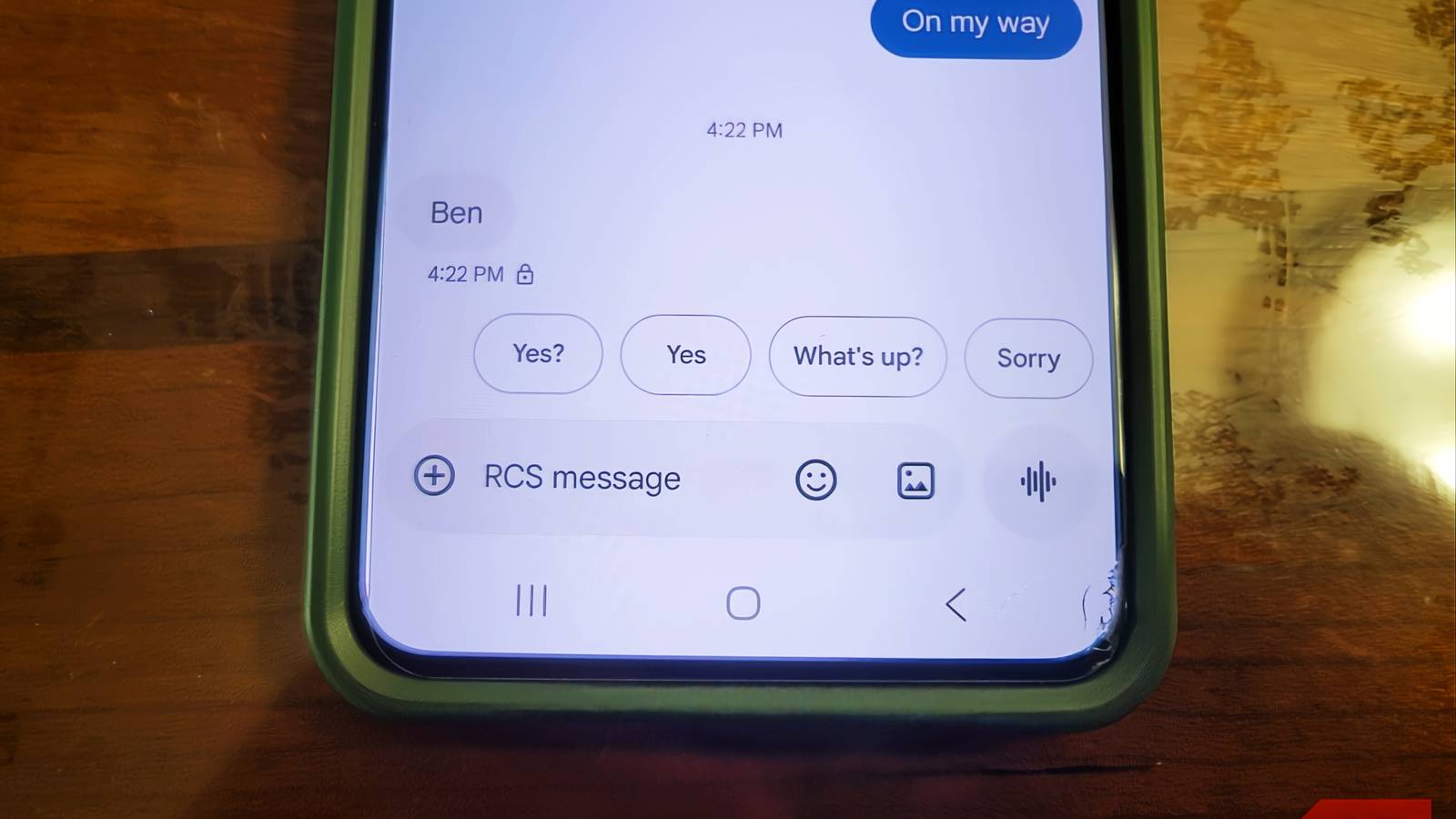
The three-button system eliminates this entire category of problems. Each button has a dedicated function that is unambiguous and does not overlap with app controls. The back button is always in the same spot, the home button is always there, and the recents button is always there. There is no need for the phone to interpret ambiguous touch patterns. This deterministic behavior makes the interface predictable and trustworthy.
The Ergonomic Argument: Thumb Comfort and Speed
Using gesture navigation for extended periods can cause physical strain. Phones are taller than ever, and swiping from the far edges requires the thumb to stretch across a large screen. Frequent reaching for the bottom-left or bottom-right corners to initiate a back gesture can lead to thumb fatigue or even repetitive strain injuries over time. The three-button navigation provides a home base for the thumb. The buttons are clustered near the bottom center of the screen, where the thumb naturally rests when holding the phone. Moving the thumb half an inch to tap a button is far less taxing than making wide sweeping motions across the display.
There is also a measurable speed advantage. With gesture navigation, the phone must analyze the touch input before acting. It tracks the starting point, distance, angle, and velocity to determine if the touch is a swipe or a simple tap. This analysis introduces a slight but noticeable delay. Three-button navigation bypasses this entirely. When a finger lands on a known button location, the phone immediately registers the touch and performs the action. This instantaneous response feels snappier and more direct, especially for common tasks like going back or returning to the home screen.
Many users who switch back to three-button navigation report that they can navigate their phone faster because they do not have to pause to ensure their swipe is correctly interpreted. They simply press and go. The efficiency gain is particularly noticeable when multitasking or quickly switching between apps.
Industry Mandates and User Choice
Google's Android Compatibility Definition Document (CDD) explicitly requires every Android device to include both gesture navigation and three-button navigation as options. This mandate ensures that manufacturers cannot remove the classic layout in pursuit of a completely bezel-free design. The CDD also specifies that components like under-display fingerprint sensors must not overlap with the button navigation area, preventing accidental triggers during use. These requirements exist because Google recognizes that accessibility is not optional. The three-button layout must be present, fully functional, and easy to enable in the device settings.
Critics argue that gestures offer a cleaner look and more screen space, and indeed they do. When the navigation bar is hidden, apps can draw content edge-to-edge, creating an immersive experience. But that visual benefit comes at a cost for a significant portion of the user base. The decision to keep three-button navigation is not about laziness or refusing to adopt new technology. It is about respecting the diverse physical abilities and preferences of real people. A phone that can only be operated by perfectly precise swipes is not a phone designed for everyone.
Ultimately, the conversation around navigation should center on choice. Gesture navigation works well for many, and it is rightfully the default on most devices. But the three-button option must remain easily accessible for those who need it or simply prefer it. Whether due to a medical condition, learned habit, or a desire for faster, more reliable input, having both options ensures that no one is left behind. Manufacturers understand this, which is why the three buttons continue to appear on Android phones year after year. It is not a flaw to keep them; it is a feature of inclusive design.
Source: MakeUseOf News