

I have been an Apple person for as long as I can remember. I owned an iPhone in 2007, and my Mac arrived even earlier. That loyalty naturally extended to iCloud: I keep 488GB in iCloud and pay $10 a month for the 2TB iCloud+ plan, mostly because nearly 40,000 photos live in iCloud Photos. But I am also a committed Google Workspace user. After 14 years of using Google Drive, I have more than 340GB of Docs, Sheets, Slides, PDFs, tax forms, screenshots and random uploads sitting across my account. That mixture of ecosystems means I juggle two digital homes, and both need regular attention.
My subscription list has become a little absurd. Google AI Pro costs $20 a month and includes 5TB of storage along with Gemini AI access. ChatGPT Plus is another $20 a month. iCloud+ adds $10 a month. None of this is cheap, and I have started to wonder which services I can cut. Realistically, I could never get my Google Drive down to the 15GB free tier. It is too full, too old and too tangled. The digital clutter has become so overwhelming that I mostly stopped trying to manage it.
A messy Drive hiding behind an organized life
The strange part is that I am incredibly organized in the physical world. My pantry is full of coordinated glass jars with labels. My daughter's toy room has a place for everything. My Google Drive, though, is a dumping ground. Pre-parenthood Elyse was not nearly so careful with digital files. Years of downloaded receipts, old resumes, failed project drafts, holiday photos, random PDFs and half-finished documents have piled up with almost no oversight.
I have long wanted to fix this, but the task felt impossible. There are potentially thousands of folders in my Drive, and many files were never placed in any folder at all. I considered using an AI service to connect to Drive and organize everything in a few clicks. Then I remembered what my Drive actually contains: my house deed, a copy of my will, my LLC business details, personal tax documents and family records. Giving a random third-party company broad access to that sensitive data felt like too much risk.
Google's Organize My Files arrives
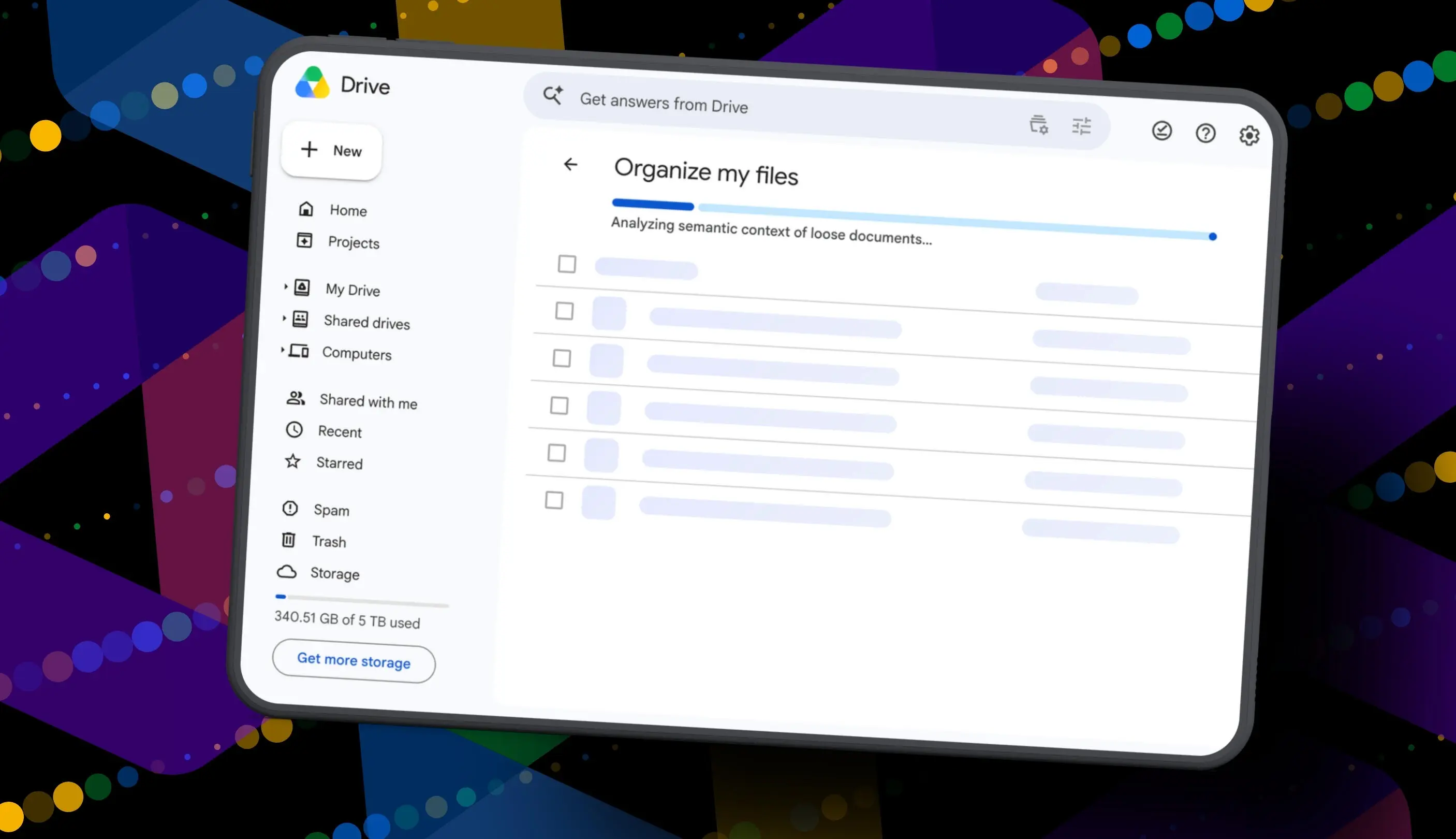
Then Google quietly launched something more practical: Organize My Files. The feature is built into Drive and uses Gemini AI to suggest moving loose files into existing folders or creating new folders for related files. Every suggestion can be previewed and reviewed before anything changes. That review step made the tool much easier to trust.
Organize My Files is not available to everyone. It is currently limited to Google Workspace and Google AI subscribers. Workspace smart features must also be enabled for the tool to appear. If you meet those requirements, you can find the button inside My Drive and inside certain parent folders.
Here is how the process works.
1. Open Google Drive
Log into your Google account, open Google Drive in a browser and click My Drive. The new Organize My Files option appears near the top of the file and folder list. You can also access it from parent folders in Drive.
2. Click Suggest File Moves
Click Suggest File Moves to open a new Organize My Files window. Gemini then analyzes the loose files in that view and suggests ways to clean them up. The analysis can take a minute or two depending on how many files are sitting in the folder.
3. Review Gemini's suggestions
Gemini serves up recommendations divided into two main types. It might suggest moving files into existing folders that already make sense for those documents. It might also suggest creating brand-new folders for related groups of files. Each file can be previewed with a hovercard, and you can open items in a new tab to inspect them more closely.
4. Approve the changes
Use the checkboxes to select or deselect any file or folder suggested by Gemini. If a suggested folder name does not fit, rename it. If the destination is wrong, change the target. Once everything looks right, approve the changes. Gemini will perform all the moves in one batch and return you to My Drive.
My results: only 19 suggestions after 14 years
My Drive has hundreds of gigabytes of data, thousands of potential folders and years of accumulated clutter. So when the tool finished analyzing, I expected a long list of smart organizational moves. Instead, Gemini suggested exactly 19 moves. Even more surprising, most of the suggestions involved recent files I had created or uploaded in the past few weeks.
Some recommendations were genuinely useful. Gemini noticed my resume was sitting at the root level, along with resumes I had helped family members create. It suggested moving all of those into an existing resume folder. That made perfect sense. It also created a new Family and Real Estate folder for house deed documents, which was a reasonable suggestion.
The tool also proposed a Travel Planning folder for upcoming summer trip itineraries stored in Drive. That was not a bad idea in theory. But one file it wanted to group into Travel Planning was literally named Delete, because it is a document I want to delete. Gemini did not recognize that. It did not suggest deleting the file, and it did not seem to notice that the document's name made its intended fate obvious.
I approved all 19 suggestions anyway because the recommended moves were safe and mostly reversible. Then, for the sake of testing, I ran the tool again. Within about 30 seconds, Gemini suggested exactly the same thing: the same file moves, the same newly created folders and the same changes it had just made. The tool did not realize that it had already performed those moves.
Why the tool still feels unfinished
That repeat behavior is the clearest sign that Organize My Files is not yet a polished product. A useful cleanup assistant should understand the current state of the Drive after changes are made. It should not suggest creating the same folders it just created moments earlier. It should also be able to distinguish between files that need organizing and obvious junk that should be deleted.
Gemini also seemed to prioritize recent files instead of doing a deep scan of everything I have stored. If I have 14 years of clutter, the most helpful cleanup assistant would find old orphaned files, spot duplicate uploads and surface folders that should be consolidated. Organize My Files did none of that. It focused on a handful of newest files and ignored the deeper mess that makes my Drive so hard to navigate.
There is also a practical problem with where the tool appears. You must run it manually in each folder if you want to organize the whole Drive. I do not want to repeat the same process in 1,000 different parent folders and hope that it finds something useful each time. I need a way to scan the whole Drive at once or at least walk through it methodically with better recommendations.
Another issue is privacy and confidence. I feel safer using Google's own tool than giving an unknown third party access to my tax records and legal documents. But even inside the official product, I still had to double-check every suggestion carefully. That is fine for a one-time cleanup, but it becomes tedious if the tool offers only 19 suggestions for a Drive that contains tens of thousands of files.
Does it have potential?
Yes, Organize My Files has clear potential. The user interface is easy to navigate, and the ability to approve or reject individual suggestions is exactly right for an AI assistant that touches personal files. The resume folder suggestion showed that Gemini can understand relationships between files, even when the file names are not perfectly consistent. The Family and Real Estate folder idea showed that it can identify categories created from context clues in document names and content.
But potential is not the same as true usefulness. Right now the feature feels more like an experiment than a reliable cleanup solution. It works reasonably well for a very small group of files, but it fails to offer the sweeping organization that anyone with a decade of accumulated digital clutter would want. The tool may get better over time. Google can improve how Gemini scans Drive, prioritizes older files, recognizes obvious trash and surfaces deeper organizational suggestions.
As someone with hundreds of gigabytes of data across multiple subscription services, I still need a real cleaning solution. I am still stuck with a messy Drive and a $20 Google AI Pro subscription. For now, Organize My Files is a small step forward, but it is not the answer to years of digital neglect.
Source: ZDNET News