

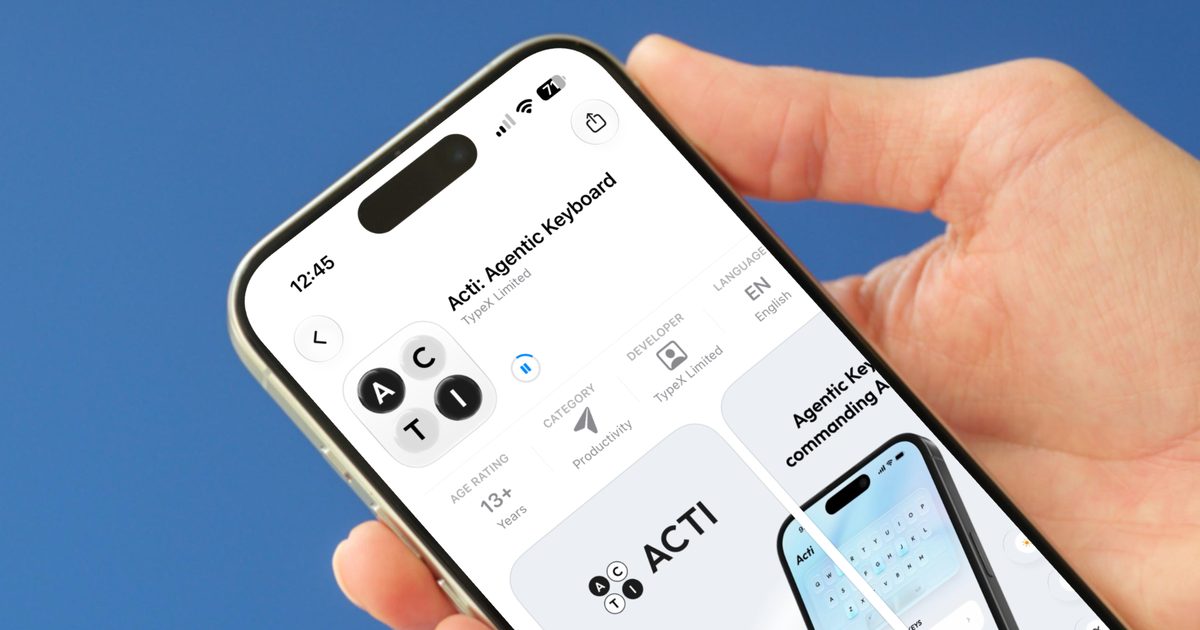
Your smartphone’s keyboard is the thing you interact with the most, and yet, it has largely remained the same since it was introduced two decades ago. Yes, it has become better at understanding our typing habits and predicting text, but its function has largely remained unchanged. A Singapore startup called Acti looked at the keyboard and the large space it occupies on your smartphone and asked a fair question: Why not make it actually do things? After seeing its keyboard in action, the idea has legs.
Acti, short for “action,” just launched on iOS and Android. It is an agentic keyboard, which is a fancy way of saying it does more than suggest your next word. It can actually perform tasks for you inside the apps you already use, whether that is your messages, email, or social media. In an era where AI agents are becoming ubiquitous, Acti’s key differentiator is its location: right inside the keyboard, eliminating the need to switch between apps to access an assistant.
How Does It Actually Work?
The star of the show is the ActiBar, which replaces your humble space bar. Press it to type like normal, or hold it to trigger an action. Say a friend asks where you are. You can type the location in the chat, and hold the ActiBar. It will find that location and drop it into the chat. Similarly, you can use it to find scores, restaurants in the area, and much more. It even creates live mini apps to share things so the other party can easily browse what it found.
It does not stop at the space bar either. You can assign actions to any key on the keyboard and connect it with third-party apps. Acti gave several examples to demonstrate this feature. You can hold N to summon a specific Notion doc and drop it into your chat, or hold L to pull up a LinkedIn profile when someone suggests a name. Acti is not doing anything that other AI agents cannot do. What makes it special is that it lives right inside the keyboard so you don’t have to switch apps to access your agent.
What Else Can Acti Do?
Acti also lets users build their own shortcuts, called Skills, by simply describing what they want in plain language. You can keep them private or share them with the community. This opens up a world of customization: a journalist could create a Skill to instantly fetch the latest news from a preferred source, while a student might set one to look up definitions or summarize texts. The app is local-first, so your personal stuff stays on your device unless you use a feature that needs outside help. Acti is free to start, with subscriptions planned for premium features.
To truly understand Acti’s potential, it’s worth considering the evolution of smartphone keyboards. The touchscreen keyboard replaced physical keys over a decade ago, but the core interaction remained text input. Predictive text and autocorrect improved, but the keyboard never became an active productivity tool. Acti changes that by turning the keyboard into a command center. It uses on-device AI to understand context and execute tasks without sending sensitive data to the cloud unless necessary. This local-first approach addresses privacy concerns that have plagued other AI assistants.
The rise of agentic AI has been one of the buzziest trends in tech. Companies like Google, Microsoft, and OpenAI have all introduced agents that can browse the web, book reservations, or perform multi-step tasks. However, most require a separate app or browser extension. Acti’s integration directly into the keyboard means it is always accessible in any app that uses the system keyboard. This includes WhatsApp, iMessage, Gmail, Slack, and countless others. For users who frequently switch between apps for quick information, Acti could save significant time.
Behind the scenes, Acti leverages a combination of natural language processing and modular APIs. When you hold the ActiBar and type a request, the keyboard processes the intent locally if possible. For example, looking up a location uses maps data that can be fetched via a permissioned service without leaving the keyboard. For more complex tasks like querying a Notion database, Acti uses secure authentication to access the third-party service. The company has emphasized that all credentials are stored locally and never sent to its servers.
Acti’s Skills feature is particularly interesting because it democratizes automation. You don’t need to know how to code; you just describe the action in natural language. For instance, “When I hold the 'W' key, open my weekly planner and add a new event with the details I type” becomes a functional shortcut. The system learns from your usage patterns, potentially suggesting new Skills based on your routine. Early beta testers have created Skills for everything from ordering coffee to summarizing meeting notes.
Privacy is a cornerstone of Acti’s design. In an age where data breaches are common, the local-first architecture means that most of your interactions never leave the device. Even when Acti needs to access an online service, it does so through secure APIs without storing your data on its servers. This distinguishes it from cloud-dependent assistants like Siri or Google Assistant, which rely on server-side processing. For enterprise users, this level of privacy could make Acti a viable option for handling sensitive business communications.
The timing of Acti’s launch is also notable. The smartphone market has matured, and incremental hardware improvements no longer excite consumers. Software innovations, especially those powered by AI, are driving the next wave of adoption. Apple recently introduced Apple Intelligence with on-device processing, and Google’s Gemini is deeply integrated into Pixel phones. Acti offers a platform-agnostic alternative that works on both iOS and Android, potentially reaching a wider audience.
From a user experience perspective, the learning curve is minimal. After downloading Acti from the App Store or Google Play, you enable its keyboard in the system settings and grant necessary permissions. The space bar immediately transforms into the ActiBar, with a subtle visual indicator. Tapping it functions as usual, but a long press brings up a context menu or directly triggers an action based on your most recent type. You can also configure shortcuts for your most-used keys via an intuitive settings panel.
Acti is currently free with a set of default Skills and limited custom shortcuts. The company plans to introduce a subscription tier that unlocks unlimited Skills, advanced integrations, and priority support. This freemium model is common among productivity apps, and if the free version demonstrates enough value, users may be willing to pay for the added flexibility. The community Skill sharing could also become a marketplace, similar to automation platforms like IFTTT or Zapier, but focused on the keyboard interface.
The broader implications of agentic keyboards are significant. They could reduce the number of taps required to perform common tasks, making smartphones more efficient for power users. For people with accessibility needs, voice-based alternatives exist, but a keyboard-based agent offers a different modality that doesn’t require speaking aloud. Acti’s design ensures that it works alongside the existing keyboard features like swipe typing, dictation, and emoji suggestions, so no functionality is lost.
Competition in this space is still nascent. Microsoft’s SwiftKey has experimented with AI features, and Grammarly’s keyboard offers writing assistance, but neither is a full agentic platform. Startups like Fyde and Liner have attempted similar concepts, but Acti’s focus on key-based triggers and Skill creation sets it apart. The challenge will be maintaining reliability and speed while expanding the range of integrated services. If Acti can build a robust ecosystem of third-party connectors, it could become an indispensable tool.
Security professionals have praised the local-first approach, noting that it mitigates many risks associated with cloud-based AI. However, they caution that any keyboard app requires extensive permissions by design – it sees everything you type. Acti addresses this by encrypting locally stored data and ensuring that Skills only access services you explicitly authorize. Users should still be mindful of phishing attempts, but Acti’s architecture reduces the attack surface compared to always-listening assistants.
As AI continues to permeate every aspect of our digital lives, the keyboard is a natural place for innovation. It’s the one tool we use constantly, and yet it has been stagnant for years. Acti represents a bold reimagining of what a keyboard can be – not just a text input device, but an active participant in your workflow. The company’s vision is to make the keyboard “aware” of your context and capable of acting on your behalf. With its launch, that vision is now a reality for anyone with a smartphone.
In the coming months, Acti plans to add more integrations, including support for smart home devices, calendar scheduling, and even code snippets for developers. The company is also exploring an API that would allow other developers to build custom integrations directly into the keyboard environment. If successful, Acti could evolve into a platform as much as an app, changing how we interact with our phones on a fundamental level.
For now, Acti is available for free, and the early reviews from users highlight its convenience and speed. The ability to share a location or a document without leaving the chat is a small but meaningful improvement. As more people discover the power of custom Skills, the keyboard may finally shed its old-fashioned image and become the intelligent assistant it was always meant to be.
Source: Digital Trends News